Appearance
ZynoForms
WebWorkstationMobileReview form submissions, export them, and—if your role allows—author and share public forms.
Permission required
You need ZynoForms access to open the submissions workspace. Form Builder access depends on the form-edit permissions in your role.
Getting there
Open ZynoForms from the Home Launcher or sidebar.
For staff reviewing submissions
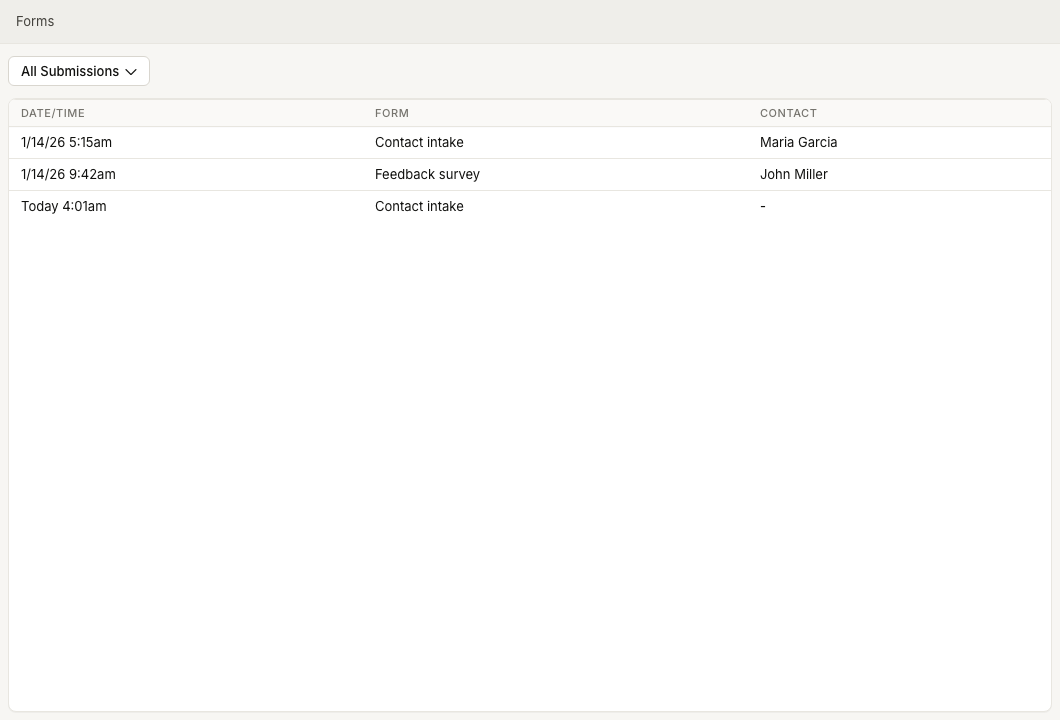
- Submissions & Tracking — review submitted forms by date, form, and linked contact.
- PDF & HTML Export — print or download a rendered submission.
- Field Types — understand the fields contacts may see on public forms.
Submissions can be associated with contact records. When a submitted form is linked to a contact, the ZynoForms list shows the contact name and the contact profile can show related form submissions.
For people who author forms
- Form Builder — create, edit, test, publish, and share forms when your role allows it.
- Field Types — choose the right controls for each question.
- Public Form Sharing — public links, embeds, and QR codes.
Related
Common issues
| Problem | What to check |
|---|---|
| ZynoForms is missing from the launcher | Ask an administrator to confirm ZynoForms access |
| A public form link does not open | Use the exact link provided by your organization. See Public Form Sharing |
| A submitted form is missing | Check date filters, form selection, and whether the submission was linked to a contact. See Submissions & Tracking |
| Export or print output is wrong | Open the submission and retry PDF & HTML Export. If the form structure itself is wrong, contact whoever manages form definitions |
| Form Builder is missing | Ask an administrator to grant ZynoForms > Edit Forms access. The separate create permission is also required to start or duplicate a form |