Appearance
ZynoSales
WebWorkstationMobileRun the register, take payments, manage products, bookings, gift cards, cash drawers, fulfillment, and sales reports. Card processing uses Stripe; accounting sync can use QuickBooks when connected.
Permission required
You need ZynoSales access in your role. The Salespoint register specifically requires the Salespoint permission (either the Workstation or Any Device variant).
I want to…
| Task | Start here |
|---|---|
| Ring up a sale | Using Salespoint |
| Take a payment | Processing Payments |
| Refund a completed sale | Refunds |
| Open or close a cash drawer | Starting & Ending Sessions |
| Find a past transaction | Viewing Transactions |
| Schedule a booking | Bookings |
| Configure POS as an admin | Set Up ZynoSales |
Payment methods
ZynoSuite supports multiple payment methods at checkout:
- Cash — Accept cash payments with automatic change calculation.
- Card — Process credit and debit cards via integrated payment terminals or mobile card readers.
- Check — Record check payments.
- Gift Card — Redeem ZynoSuite gift cards as full or partial payment.
- Custom — Use administrator-defined custom payment methods for store credit, house accounts, or other payment types.
- Split Payments — Combine multiple payment methods on a single transaction.
Workstation
On Workstation, card payments are processed through a connected Stripe payment terminal. See Payment Terminals for setup instructions.Mobile
On Mobile, card payments are processed through a Stripe mobile card reader connected via Bluetooth. See Mobile Card Reader for setup instructions.Salespoint (register)
The Salespoint is the main point-of-sale register interface where you build orders and process payments.
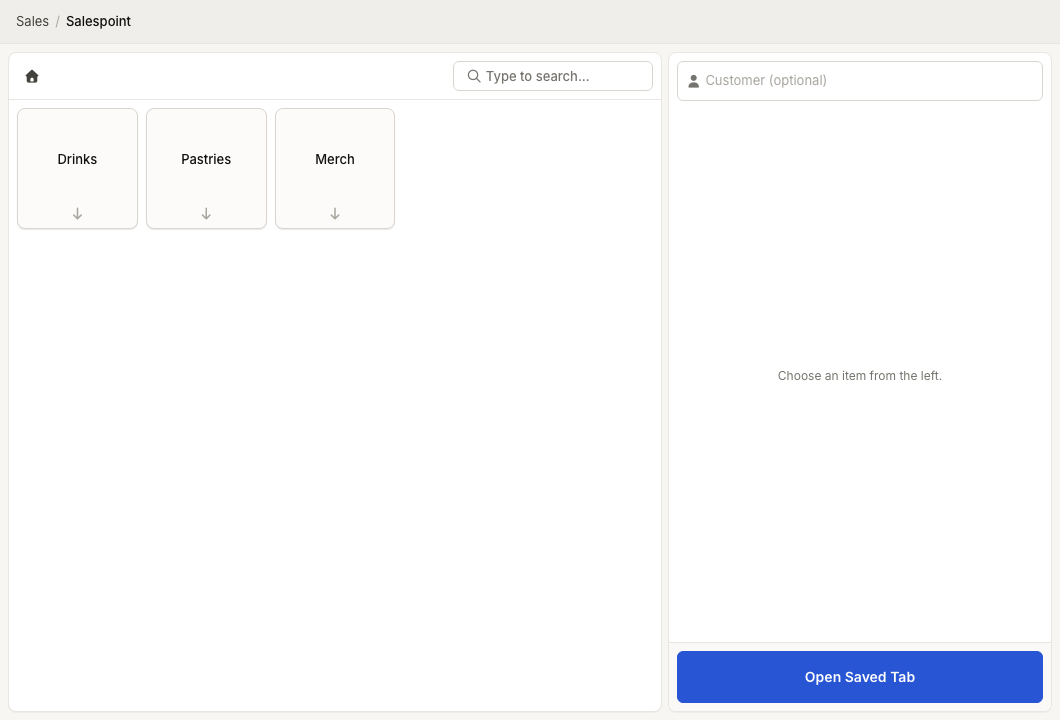
- Using Salespoint — Overview of the register interface and workflow.
- Adding Items — Add products to a transaction by search, category browse, or barcode scan.
- Product Search — Quickly find products by name or barcode.
- Customer Association — Link a customer record to a transaction for receipt delivery, membership benefits, and history tracking.
- Discounts — Apply manual discounts, predefined discount templates, or automatic member discounts.
- Tabs — Park an in-progress transaction and return to it later.
- Processing Payments — Complete a transaction with one or more payment methods.
Payments
- Cash Payments — Accept cash and calculate change.
- Card Payments — Process card payments via terminal or mobile reader.
- Check Payments — Record check payments.
- Gift Card Payments — Redeem gift cards at the register.
- Custom Payment Methods — Use admin-defined payment types.
- Split Payments — Pay with multiple methods on one transaction.
- Refunds — Process full or partial refunds on completed transactions.
- Receipts — Print, email, or text receipts to customers.
Transactions
Review and manage completed transactions.
- Transactions — Browse and search your transaction history.
- Transaction Details — View line items, payments, and metadata for a transaction.
- Adjustments — Make post-sale adjustments to transactions.
Gift cards
Create, deliver, and manage gift cards that can be redeemed at the Salespoint.
- Gift Cards — Overview of the gift card system.
- Creating Gift Cards — Issue new gift cards with a set balance.
- Delivering Gift Cards — Send gift cards via email or print physical cards.
- Redeeming Gift Cards — Use gift cards as payment at the register.
Product catalog
Define the products and services available for sale.
- Product Catalog — Browse and manage your product library.
- Creating Products — Add new products with pricing, images, tax settings, and more.
- Categories — Organize products into categories for easier navigation at the register.
- Modifiers — Add configurable options (sizes, add-ons, customizations) to products.
- Membership Products — Sell customer membership enrollments as products.
- E-Commerce Products — Configure products for online sales.
- Package Items — Bundle multiple products into a single sellable package.
- Product Inventory — Track stock levels for products linked to ZynoInventory.
- Bookings — Set up and manage appointment, reservation, and scheduled-activity booking.
Cash management
Track cash drawer balances and reconcile at the end of each shift or day.
- Cash Sessions — Open and close cash drawers with starting balances.
- Cash Session Lifecycle — Understand the flow from opening a drawer to closing out.
- Daily Closeouts — Review daily closeout reports across all payment methods.
- Reconciliation — Compare expected vs. actual cash amounts and resolve discrepancies.
- Deposits — Review customer deposits in closeout totals.
Fulfillment
Manage order fulfillment for transactions that require shipping or pickup.
- Fulfillment — Overview of the fulfillment workflow.
- Shipments — Create shipments and generate shipping labels.
- Packing Slips — Print packing slips for orders.
- Pickup Scanning — Scan items for customer pickup orders.
- Order Batches — Process multiple orders together in batches.
Reports
Analyze your sales data with built-in reporting.
- Reports — Overview of available sales reports.
- Report Filters — Choose report date ranges and switch between Charts and Table views.
- Report Charts — Visualize sales trends with interactive charts.
Integrations
- Stripe — Connect your Stripe account for card processing and terminal management.
- QuickBooks — Sync transactions and financial data with QuickBooks Online.
- E-Commerce — Configure your online storefront.
Administration
ZynoSales configuration is managed in the admin area. New tenants should start with the ordered checklist:
- Set Up ZynoSales — Stripe, terminals, payment methods, catalog, layouts, and smoke test.
- ZynoSales Categories — Manage product categorization.
- Booking Activities — Define activities and configure booking rules.
- Credit Pools — Configure membership credit pools.
- Financial Accounts — Map payment methods to financial accounts for reporting.
- Fulfillment Settings — Configure shipping carriers and fulfillment options.
- Modifier Sets — Define modifier option groups for products.
- Payment Methods — Configure which payment methods are available.
- Stripe Account — Manage your Stripe connection and settings.
- Card Terminals — Register and configure Stripe payment terminals.
- Predefined Discounts — Create reusable discount templates.
- QuickBooks — Set up and manage QuickBooks integration.
Common issues
| Problem | What To Check |
|---|---|
| ZynoSales or a ZynoSales shortcut is missing | Ask an administrator to review your ZynoSales permissions and the organization's enabled ZynoSales features. |
| A payment method is missing at checkout | Confirm the method is enabled under Payment Methods, then check the specific payment guide such as Card Payments or Gift Card Payments. |
| Card terminal payments are unavailable | Use ZynoWorkstation, confirm Stripe is active, and verify the terminal in Payment Terminals and Card Terminals. |
| Mobile card payments are unavailable | Use ZynoSuite Mobile, confirm the reader is connected from Mobile Card Reader, and verify card payments are enabled. |
| Receipts or printers do not work | Check Receipts, Receipt Printers, and Workstation device preferences. |
| Closeout or cash totals do not match | Review Cash Sessions, Daily Closeouts, and Reconciliation before escalating. |