Appearance
Gift Cards
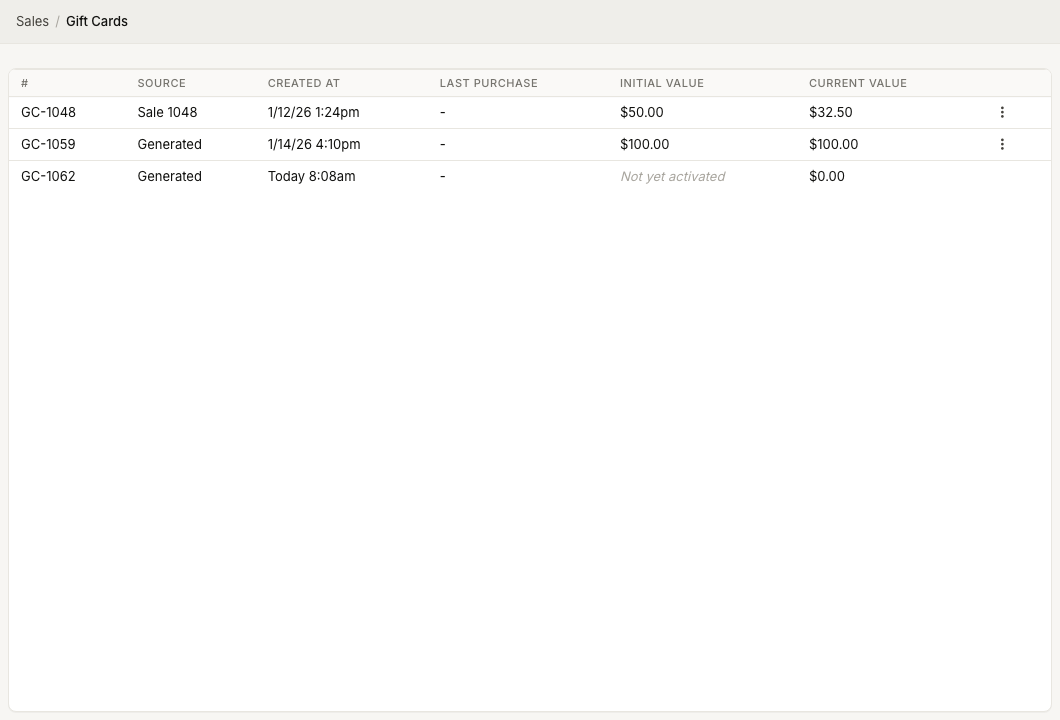
WebWorkstationMobileGift Cards store prepaid value that can be sold, delivered, and redeemed through ZynoSales. Open the gift card list from ZynoSales > Gift Cards.
Permission required
You need ZynoSales gift card view access to open the list. Selling and redeeming gift cards requires Salespoint access and Gift Card payments enabled.
Gift card list
The Gift Cards page shows:
| Column | Meaning |
|---|---|
| # | Gift card number |
| Source | Whether the card was generated directly or created from a sale |
| Created At | When the card was created |
| Last Purchase | Last purchase information, when available |
| Initial Value | Original activated value |
| Current Value | Remaining balance |
Cards without an initial value show Not yet activated.
Gift card actions
For activated gift cards, use the row actions menu to:
- Print/E-mail the gift certificate.
- Download a PDF gift certificate.
On ZynoWorkstation, Print/E-mail can offer both email and printer delivery. On web and mobile, email and download workflows are the normal options.
Sell a gift card
Gift cards are activated from Salespoint by adding a gift card product to a sale and completing payment.
See Creating Gift Cards.
Redeem a gift card
Use Gift Card as the payment method in the Salespoint payment modal.
See Redeeming & Balance.