Appearance
Bookings
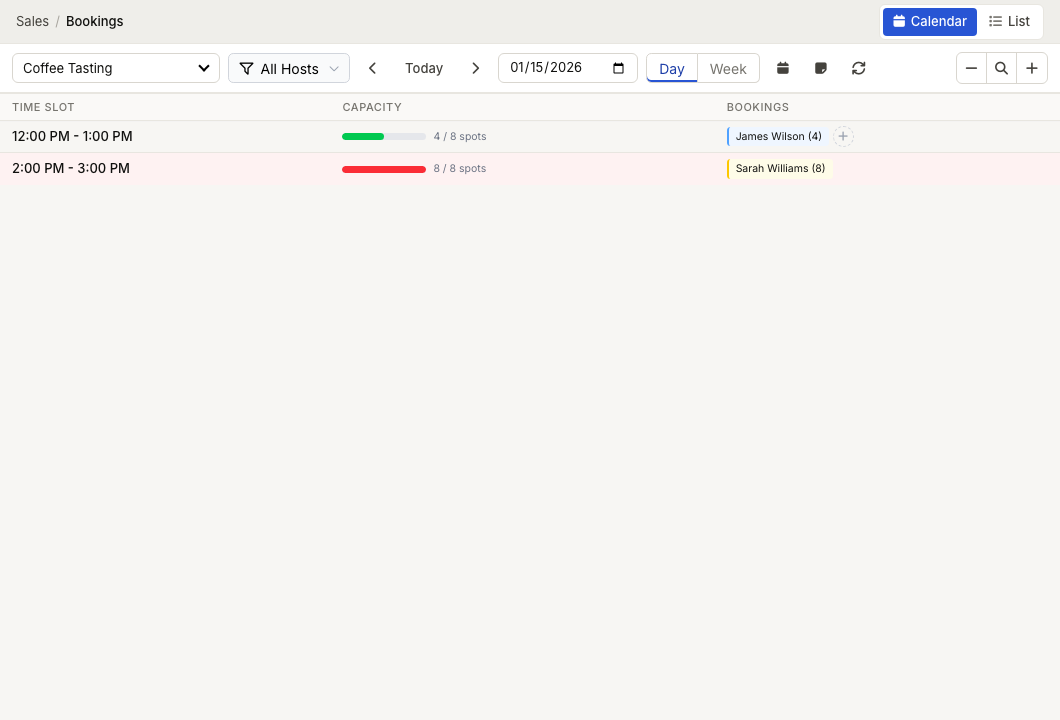
WebWorkstationMobileSchedule appointments, classes, and other timed services as part of a normal sale—so payment, receipts, and reporting stay with the transaction.
Permission required
Booking pages and actions require the appropriate ZynoSales permissions. Ask an administrator when you cannot access an activity, calendar, or booking action.
Core concepts
- Activity — The schedulable experience and its availability, capacity, buffers, and cancellation policy.
- Resource — A person, place, or item reserved by a booking, such as a stylist, lane, room, or instructor.
- Product — The bookable service sold on the Sales tab. It defines its duration, price, resource requirements, and required forms.
- Booking — The scheduled part of the Sales transaction, including its slot and resource assignments.
- Participant — A person included in the booking. Participant tracking supports forms, waivers, and individual check-in.
Staff workflow
- Configure the activity, availability, and capacity rules.
- Add the activity's resources when required.
- Configure bookable products for the activity.
- Staff add a bookable product to a Sales tab or start from an available calendar time.
- ZynoSales validates availability, assigns resources, and records the booking with the sale.
- Staff use the calendar or list to confirm, check in, manage, and complete the booking.
Current public booking boundary
Customers can receive secure appointment links for existing appointments, including iCalendar downloads. ZynoSales does not currently expose a public or embedded browser flow to create bookings, join a waitlist, collect a booking deposit, or self-manage a booking. Use the staff workflow for those actions.
Documentation guide
- Setting Up Activities — Configure scheduling, capacity, policies, and reminders.
- Schedules & Availability — Set operating hours, date overrides, and blocked times.
- Resources — Manage staff, rooms, equipment, and capacity.
- Bookable Products — Configure bookable services, durations, deposits, and required forms.
- The Booking Calendar — View availability and begin staff booking creation.
- Managing Bookings — Confirm, cancel, reschedule, and open bookings.
- Participants & Waivers — Track participants, check-in, and required forms.
- Cancellation Policies — Configure cancellation refund rules.
- Waitlist — Manage staff-created requests for a full slot through the direct ZynoSales waitlist route.
- Appointment Links & Public Booking — Understand the current customer-facing appointment experience.