Appearance
Reconciliation
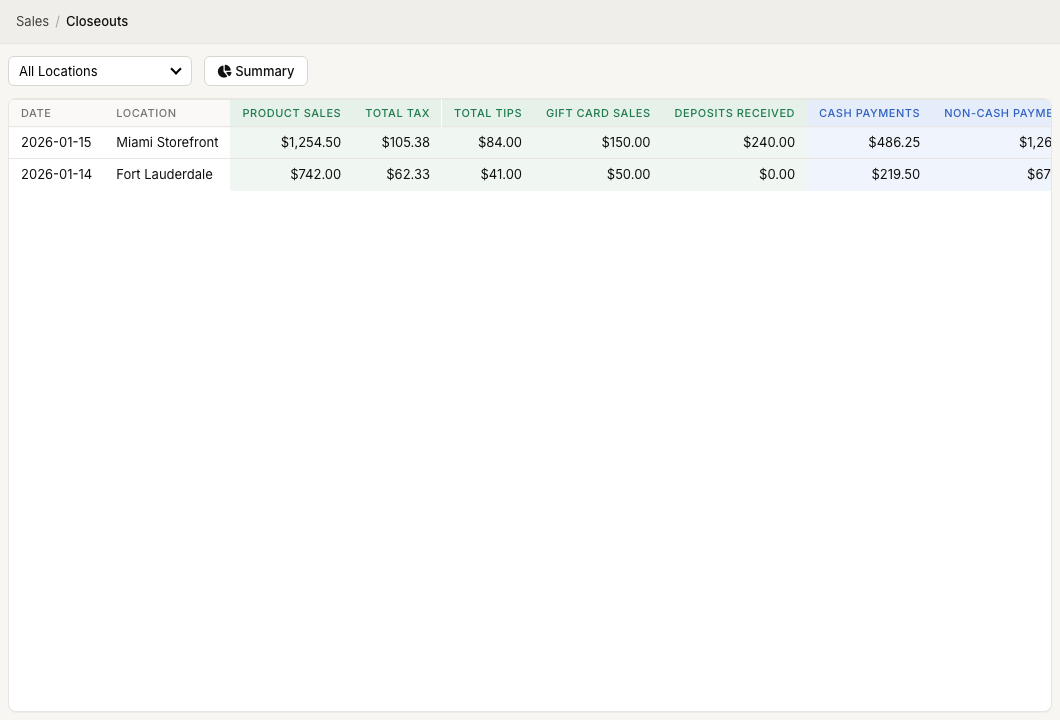
WebWorkstationMobileCompare ZynoSuite sales totals to cash and other tenders you actually received. Use Cash Sessions for drawer counts and Daily Closeouts for the full day.
Permission required
You need ZynoSales reports view access. Cash drawer actions require Salespoint and cash drawer permissions.
Recommended flow
- Start a cash session at the beginning of a shift.
- Process sales normally in Salespoint.
- End the cash session and count the drawer.
- Review ZynoSales > Cash Sessions for cash discrepancies.
- Review ZynoSales > Daily Closeouts for the date and location.
- Open closeout details to compare payment, account, and tax breakdowns.
- View or email individual closeout reports as needed. For summary ranges, use Download PDF from Closeout Summary.
Compare cash
Use Cash Sessions to compare:
| Amount | Meaning |
|---|---|
| Starting Cash | Drawer amount at session open |
| Expected Cash | Starting cash plus recorded cash activity |
| Actual Cash | Drawer amount counted at close |
| Discrepancy | Actual minus expected |
Use notes on the cash session to explain confirmed differences.
Compare daily totals
Use Daily Closeouts to compare received totals against payment totals. ZynoSuite flags rows when product sales, tax, gift card sales, tips, and deposits received do not balance against payments and deposits applied.
Open closeout detail to review:
- Card, cash, check, gift card, custom, and deposit payment totals.
- Card brand breakdown.
- Financial account breakdown.
- Tax breakdown.
- Deposits received.
When totals do not match
Check:
- Cash session discrepancy and notes.
- Split payments that may have been partially completed.
- Refunds or reopened sales.
- Deposits applied to later sales.
- Gift card sales versus gift card payments.
- Custom payment methods that require outside reconciliation.
- Card totals in Stripe.