Appearance
Categories & Organization
WebWorkstationMobileGroup items with categories and vendors, and use SKUs, UPCs, and ZynoSales product links to find and manage stock.
Permission required
Viewing categories and vendors requires ZynoInventory access. Creating new values while editing or importing requires inventory edit permission.
Categories
Categories group similar items and let you filter the ZynoInventory list. Choose a category when creating or editing an item.
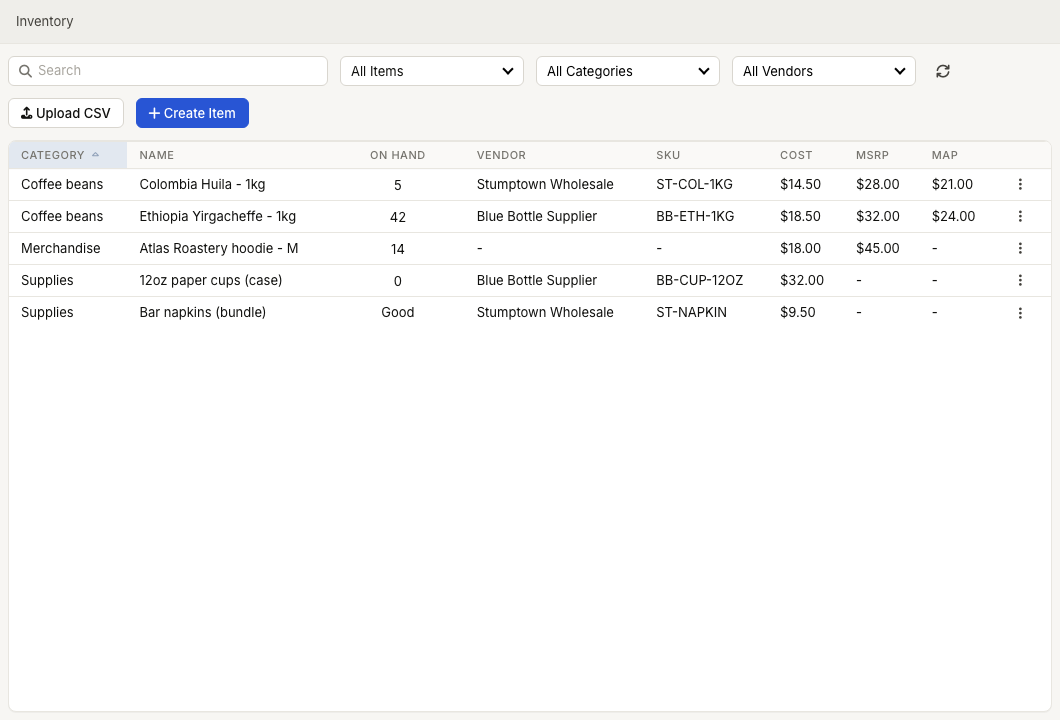
If the category does not exist yet, type the new category name in the category selector while editing an item. ZynoSuite creates it when you save.
Vendors
Vendors identify the supplier for an item. Choose a vendor when creating or editing an item, or create a new vendor from the vendor selector.
The ZynoInventory list can filter by vendor, and CSV import can assign one vendor to newly created items.
Skus and upcs
- SKU is the vendor or internal stock keeping unit.
- UPC is the barcode value used for scanning and matching.
Search can find either value. CSV import can use SKU or UPC to match incoming rows to existing items.
Linked ZynoSales products
Items linked to ZynoSales products show a link icon in the ZynoInventory list. Product-linked items use the ZynoSales product editor for product-facing details, while ZynoInventory still reports stock data.
Common issues
| Problem | What To Check |
|---|---|
| A category or vendor is missing | Create it from the item editor or CSV import flow. |
| Import created duplicates | Include UPC or SKU columns so import can match existing items. |
| A linked item opens a product editor | Product-linked inventory is managed through the ZynoSales product editor. |