Appearance
Contact List
WebWorkstationMobileThe contact list is the main Customers & Contacts screen. Use it to find contact records, open profiles, and create new contacts.
Permission required
You need ZynoCRM access to view contacts. Creating contacts requires ZynoCRM create access.
Open Customers & Contacts
Open Customers & Contacts from the launcher or Quick Action Bar.
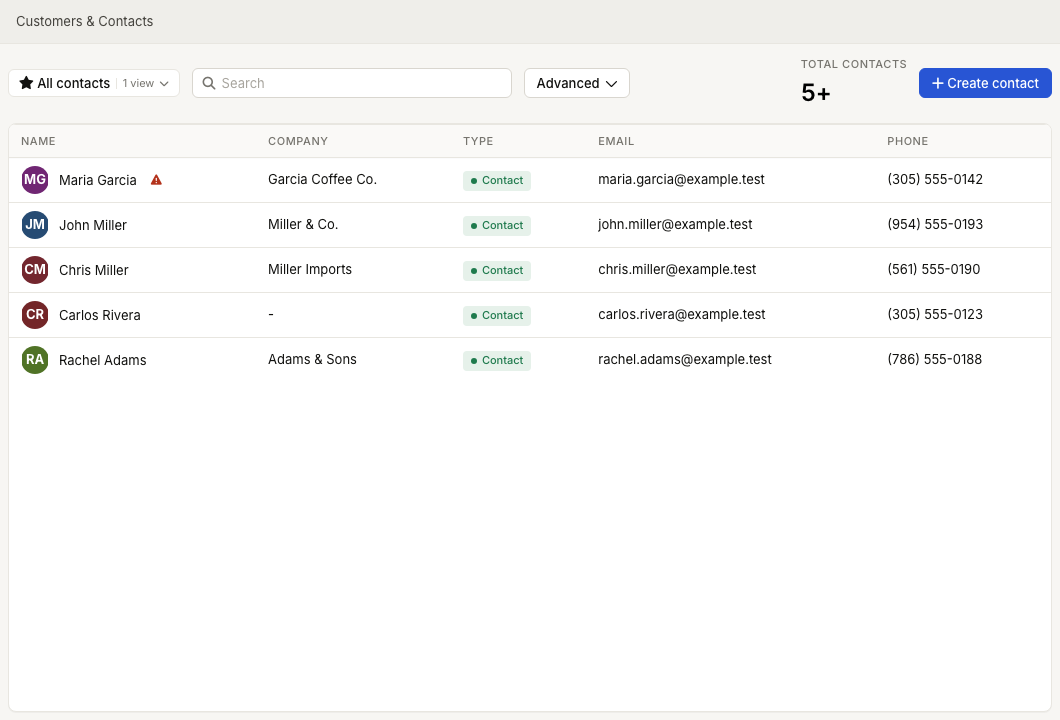
The list shows All contacts by default. Current saved views are limited to this built-in view; custom saved views are not available in the current interface.
What the list shows
Depending on your organization's ZynoCRM settings, the table is organized around either people or companies.
| CRM setup | Main columns |
|---|---|
| Person-first CRM | Name, optional Company, Stage, Email, Phone, Tags |
| Company-first CRM | Company, Primary Contact, Stage, Email, Phone, Tags |
The Stage column currently shows Customer for ZynoCRM records. If a contact has alert notes, an alert indicator appears next to the name.
Main actions
- Use Search to find a contact by name, company, email, phone, birthdate, or zyno.id Keytag #.
- Select Advanced to open field-specific filters.
- Select a CRM tag filter to show contacts carrying that label.
- Select a row to open the contact's profile.
- Select Create contact to add a new record.
- On ZynoWorkstation, members can scan their own zyno.id Keytag, or staff can use Scan zyno.id Keytag #, to open the contact profile for check-in.
The Total contacts count shows how many matching contacts are currently loaded. When more results are available, the count can appear with a plus sign.
Empty list
If the list shows No contacts, add your first contact with Create contact or import contacts through your organization's supported data process.