Appearance
Transaction History
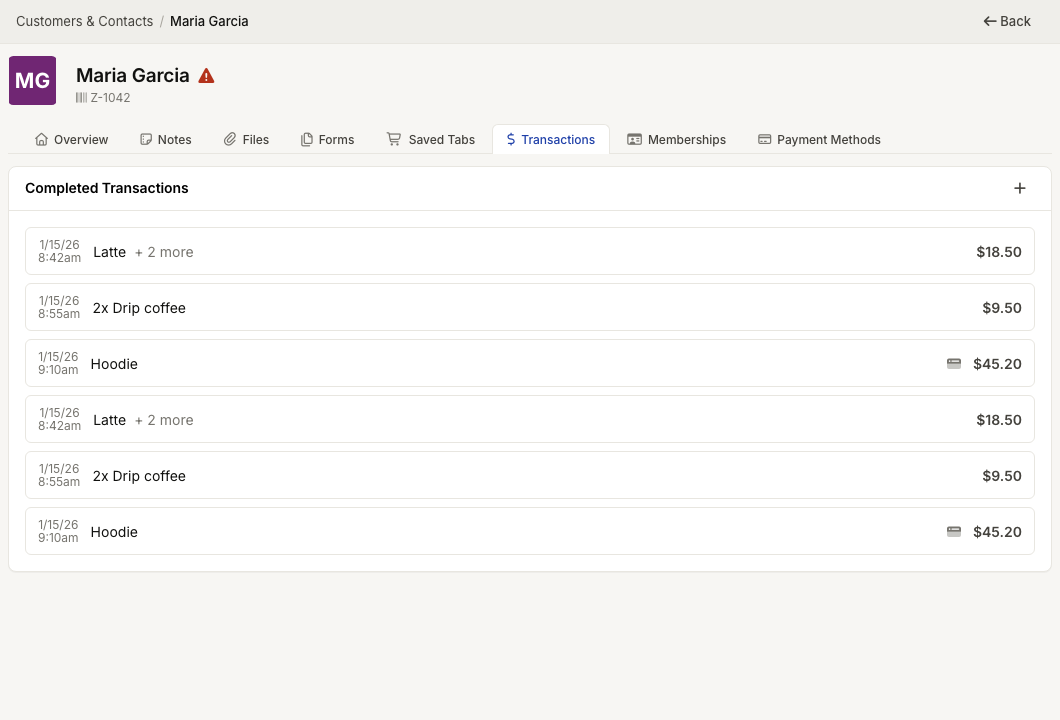
WebWorkstationMobileOpen a contact’s Transactions tab to review that customer’s completed sales.
Permission required
You need ZynoSales transaction view access to see completed transactions on a contact profile.
View contact transactions
- Open the contact profile.
- Open Transactions.
- Select a transaction row to open transaction details.
Rows show the sale date and time, the first item, additional item count, fulfillment flag when applicable, seller or eCommerce source, and total amount.
Start a new tab
Use the plus button in Completed Transactions to start a new Salespoint tab for this contact.
Loading more transactions
The tab loads more transactions as you scroll. If a sale is missing, confirm that the sale was attached to this contact at checkout.