Appearance
Memberships Overview
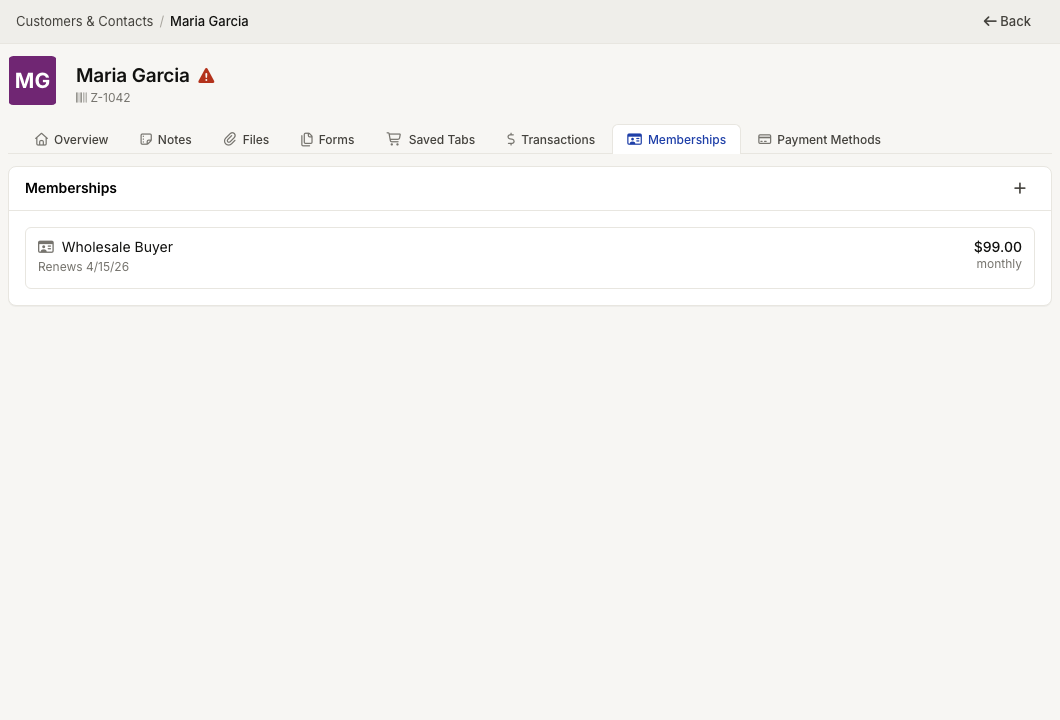
WebWorkstationMobileMemberships connect customers to paid programs that can renew, expire, grant credit pools, provide member discounts, and support additional members.
Permission required
Viewing and editing memberships are separate CRM membership permissions. Selling a membership also requires Salespoint access.
Getting there
- Open a customer in Customers & Contacts, then select the Memberships tab.
- Or open Customers & Contacts > Memberships to review memberships across customers.
Where memberships appear
| Place | Use it for |
|---|---|
| Customer profile > Memberships | Review and manage memberships for one customer |
| Customers & Contacts > Memberships | Review memberships across customers |
The customer profile shows active and past memberships for that customer. The membership list can filter by credit pool, membership type, and status.
Membership statuses
| Status | Meaning |
|---|---|
| Active | The membership is currently in effect |
| Past Due | The membership is active but a renewal attempt has already occurred and needs attention |
| Terminated | The membership has ended |
Recurring memberships show renewal or cancellation timing. One-time memberships show an expiration date or Never expires.
Manage a membership
Select a membership to open Manage Membership. Available tabs can include:
- Overview for plan, billing, renewal, cancellation, payment method, and plan changes.
- Renewal History for recurring membership payments.
- Discount History for member discount availability and use.
- Credit History for credit pool grants and use.
- Additional Members when the membership type allows more than one member.
Common issues
| Problem | What to check |
|---|---|
| Memberships tab is missing | Confirm CRM memberships permission and that ZynoSales membership features are enabled for your organization |
| Cannot edit a membership | Confirm membership edit access (view-only roles cannot change plans or renewals) |
| Member discount did not apply in Salespoint | Attach the customer to the sale and confirm the membership is Active—see Member Discounts |
| Credits are unavailable | Check Credit Pools balance and grant history on the membership |