Appearance
CRM Settings
WebWorkstationCRM Settings control default contact-detail types and whether contact records are organized primarily as people or companies.
Open this page from Admin > ZynoCRM > Settings.
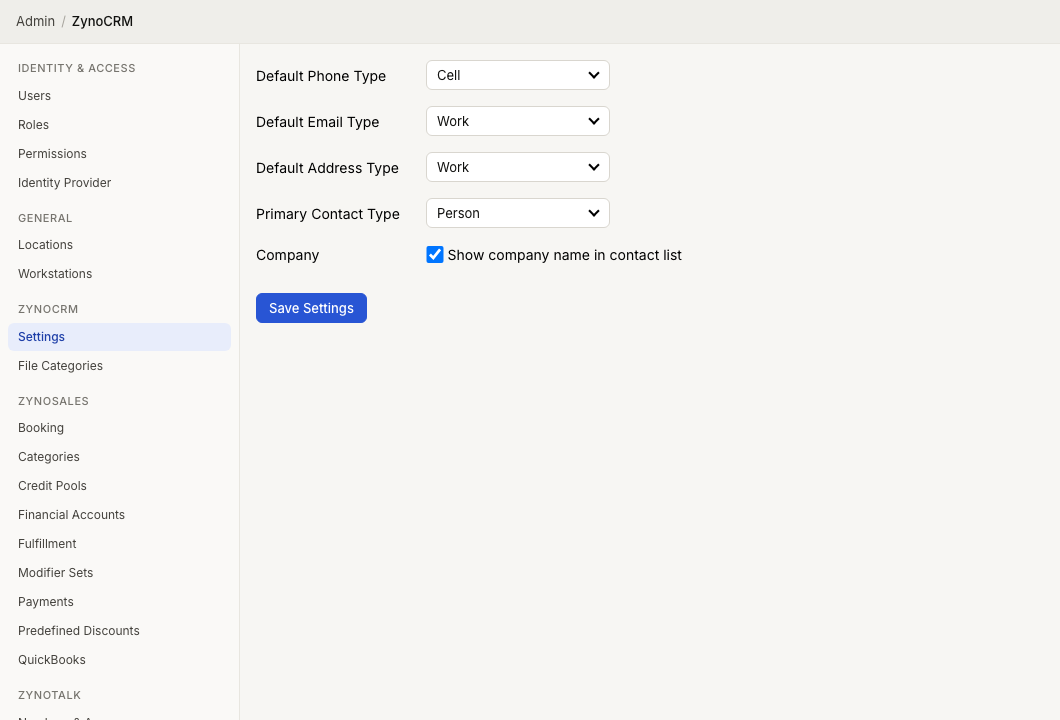
Settings
| Setting | What it controls |
|---|---|
| Default Phone Type | The default type selected when adding a phone number |
| Default Email Type | The default type selected when adding an email address |
| Default Address Type | The default type selected when adding an address |
| Primary Contact Type | Whether ZynoCRM records are person-first or company-first |
| Show company name in ZynoCRM contact list | Whether company appears in the Customers & Contacts list for person-first CRM |
Phone type options are Home, Work, Cell, and Fax. Email and address type options are Home and Work.
Person-first vs company-first
| Primary Contact Type | Effect |
|---|---|
| Person | Contact records start with first name and last name; company is optional |
| Company | Contact records start with company and display name; primary contact fields appear below |
When Company is selected, Show company name in ZynoCRM contact list is turned on and cannot be cleared from this screen.
Save changes
- Update the settings.
- Select Save Settings.
Saved changes affect new editing sessions and the contact list layout. They do not remove existing contact data.