Appearance
Bookings
WebWorkstationMobileZynoSuite's booking system lets you sell time-based experiences — appointments, reservations, group activities, classes, and more. Whether you run a hair salon, a bowling alley, an indoor skydiving facility, or a yoga studio, the booking system adapts to how your business schedules and manages capacity.
Bookings are fully integrated with the rest of Sales. When a customer books an activity, the items appear on a regular sales transaction, so all your existing payment methods, receipts, discounts, and reporting work exactly as they do for any other sale.
Permission Required
Users must have Sales module access to manage bookings. Creating and configuring activities requires administrative permissions.
Key Concepts
Before diving in, here are the main ideas you will work with:
- Activity — The experience you offer, such as "Hair Salon," "Indoor Skydiving," or "Bowling." Each activity has its own schedule, capacity rules, and cancellation policy.
- Resource — Anything that gets reserved when a booking is made. Resources can be people (a stylist, an instructor), places (a lane, a room), or equipment (a flight suit, a wave machine). Resources are organized into groups called resource types.
- Product — The specific service a customer purchases, such as "30-Minute Haircut" or "4-Minute Flight." Products define the price, duration, and any required forms (such as a waiver). Each product is linked to an activity.
- Booking — A confirmed reservation that ties together a time slot, an activity, the purchased products, and any assigned resources. Bookings live inside a sales transaction.
- Participant — An individual person included in a booking. Participant tracking is optional for simple bookings, but is useful when you need to collect waivers, track check-ins per person, or record details like weight or shoe size.
How It All Fits Together
Here is the typical flow:
- You set up an activity with its schedule and capacity rules.
- You add resources (if applicable) — the stylists, lanes, rooms, or equipment that get assigned to bookings.
- You create products linked to the activity. These are what customers actually purchase.
- A booking is made — either by staff in a sales tab or by the customer online. The system checks availability, assigns resources, and creates the sales transaction.
- On the day, staff can check customers in, mark bookings as in progress, and complete them when finished.
Common Scenarios
The booking system is designed to handle a wide variety of business types. Here are some examples of how different businesses might set things up:
Hair Salon or Spa
Each stylist is a resource. Services like "Haircut" or "Color Treatment" have different durations. When a customer books, one stylist is assigned exclusively for the duration of the appointment.
- Activity: "Hair Salon"
- Resources: Individual stylists (Sarah, Mike, Jess)
- Products: "Haircut" (30 min, $40), "Color Treatment" (90 min, $120), "Blowout" (20 min, $25)
- Scheduling: Duration is determined by the service — a haircut always takes 30 minutes, a color treatment always takes 90 minutes.
Bowling Alley
Lanes are shared resources with a maximum number of people per lane. Customers choose how long they want to bowl.
- Activity: "Bowling"
- Resources: Lanes 1–12 (each holds up to 6 people)
- Products: "Bowling Session" (customer picks 30, 60, or 90 minutes)
- Scheduling: Variable duration — the customer selects their preferred session length when booking.
Indoor Skydiving / Wind Tunnel
Multiple flyers share the same tunnel in one time slot, but each person only uses a portion of the available tunnel time.
- Activity: "Indoor Skydiving"
- Resources: Main Tunnel (26 minutes of flight time per 30-minute slot)
- Products: "2-Minute Flight" ($60), "4-Minute Flight" ($110), "10-Minute Group Flight" ($280, covers 3 flyers)
- Scheduling: Fixed time slots. Each product consumes a specific number of minutes from the shared pool.
Yoga Studio or Group Class
Everyone attends the same fixed time slot. There are no individual resources to assign — just a maximum number of participants.
- Activity: "Yoga Class"
- Resources: None needed (or optionally, an instructor)
- Products: "Drop-In Class" ($20), "Members Class" ($0 with membership)
- Scheduling: Fixed 60-minute slots with a cap of 20 participants.
Guided Tours or Lessons
An instructor is assigned to each booking, and specific instructors may only be qualified for certain tour types.
- Activity: "Guided Tours"
- Resources: Tour guides (each assigned exclusively per booking)
- Products: "Beginner Lesson" (60 min), "Advanced Tour" (120 min) — only senior guides can lead advanced tours.
- Scheduling: Duration is driven by the product's service length.
Documentation Guide
This section covers everything you need to set up and run bookings:
- Setting Up Activities — Create activities, choose a scheduling strategy, and set capacity limits.
- Schedules & Availability — Define operating hours, special dates, and blocked times.
- Resources — Add and manage the people, places, and equipment involved in your bookings.
- Bookable Products — Create the services customers purchase, set pricing and durations.
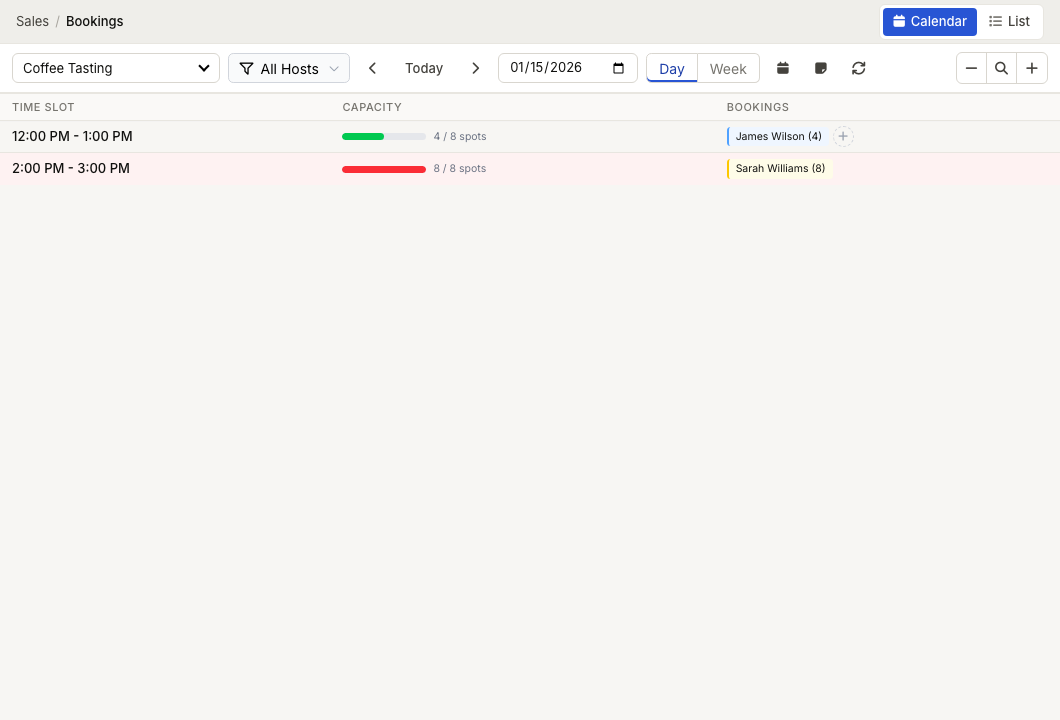
- The Booking Calendar — View and manage your daily booking schedule.
- Managing Bookings — Create, confirm, check in, complete, cancel, and reschedule bookings.
- Participants & Waivers — Track individual participants and require form completion.
- Cancellation Policies — Set up refund rules for cancellations.
- Waitlist — Manage demand when time slots are fully booked.
- Online Booking — Configure customer-facing availability and self-service booking.