Appearance
Cash Drawer Sessions
WebWorkstationMobileCash Sessions track the cash drawer for a workstation over a shift or operating period. The list page is available from ZynoSales > Cash Sessions. Starting and ending a cash session happens from Salespoint on ZynoWorkstation.
Permission required
You need ZynoSales reports view access to review Cash Sessions. Starting, ending, or opening the drawer requires Salespoint access and the relevant cash drawer permission.
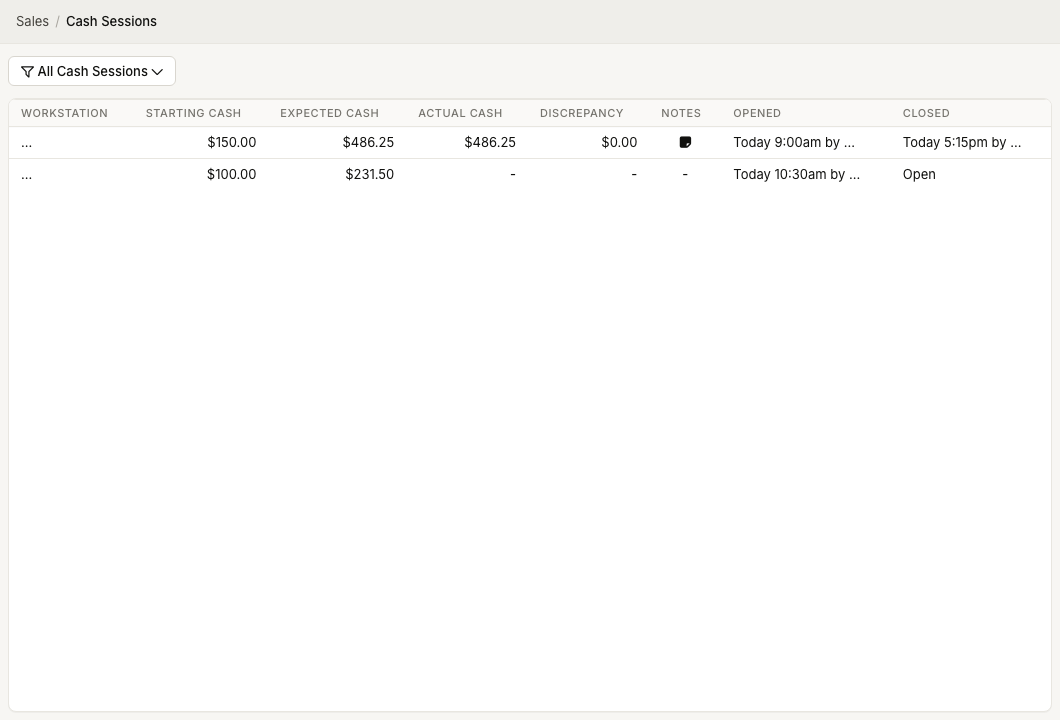
Cash sessions list
The list shows:
| Column | Meaning |
|---|---|
| Workstation | The workstation that opened the drawer session |
| Starting Cash | Cash counted at the start |
| Expected Cash | Starting cash plus recorded cash activity |
| Actual Cash | Cash counted when the session was closed |
| Discrepancy | Actual cash minus expected cash |
| Notes | Notes entered during close |
| Opened | Time and user who opened the session |
| Closed | Time and user who closed the session, or Open |
Discrepancies are color-coded: zero is green, small differences are yellow, and larger differences are red.
Filter cash sessions
Use the filter button to limit the list by:
- Salespoint/workstation.
- Start date.
- End date.
The filter label summarizes the active filters. If no filters are active, it shows All Cash Sessions.
View details
Select a row to open Cash Drawer Session Details. The detail view includes summary, cash amounts, denomination counts, and notes.
Start and end sessions
Start and end cash sessions from the Salespoint More... menu on ZynoWorkstation.
See Starting & Ending Sessions.
Common issues
| Problem | What to check |
|---|---|
| Cash Sessions page is missing | Confirm ZynoSales reports view access |
| Cannot start or end a session | Use Salespoint on ZynoWorkstation with cash drawer permission—see Starting & Ending Sessions |
| Expected cash looks wrong | Review cash payments and refunds during the open session |
| Discrepancy after close | Re-count actual cash, then use Reconciliation and Daily Closeouts |